
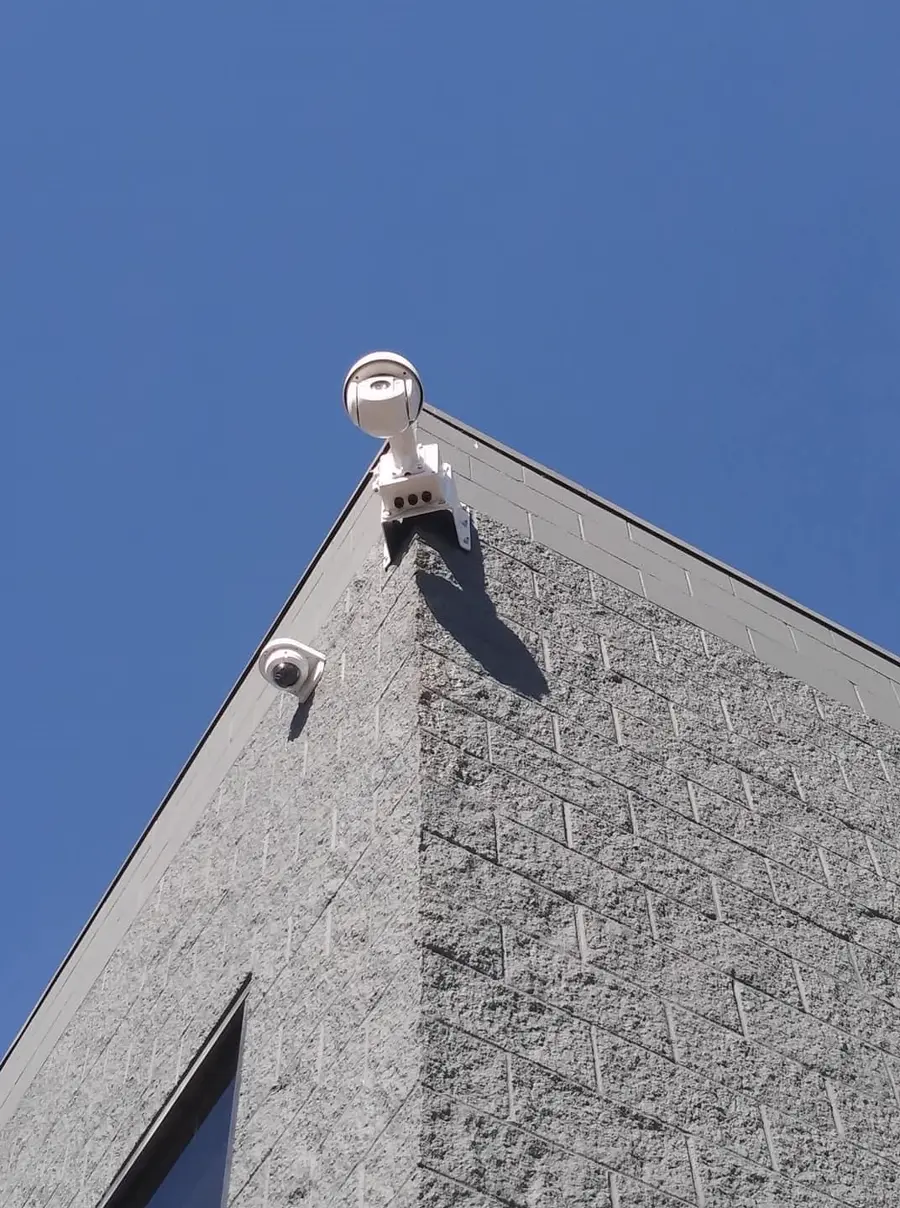
CAMERAS / CCTV / WHAT IT IS
Coverage planned to the building, not a guess at the walkthrough.
A camera system is placement, cabling, storage and access — in that order. Where the camera sits decides what it actually sees; the cable decides whether it stays reliable; the recorder decides how far back you can look; the app decides whether anyone can actually use any of it at 2am from a phone.
CAMERAS / CCTV / WHERE IT SHOWS UP
Satellite centers, operating rooms, cannabis compliance.
Restricted-access sites where every entry gets a visual record, not just a locked door. Operating rooms and satellite centers where coverage has to be continuous, not "usually on." Cannabis cultivation and retail facilities where camera coverage is part of the license, tracked and checked, not decoration. The camera count and placement get specified to the standard the building has to meet.
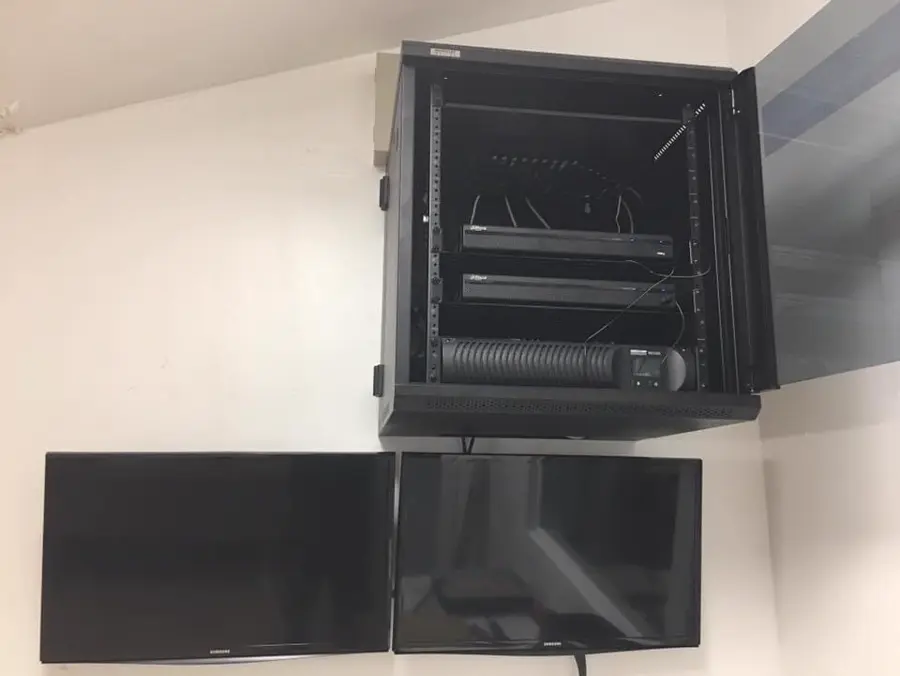
Finished install
The rack behind the cameras matters as much as the cameras.
CAMERAS / CCTV / WHY THE PLAN MATTERS
Cameras are only as good as the plan behind them.
More cameras is not the same as more coverage. A handful of cameras placed for the actual sight lines — entries, loading, the blind corner by the stairwell — beats twice as many pointed at open floor. We plan the count and placement on the walkthrough, then run the cable to support it, whether that is copper on PoE or fiber back to a central rack.
CAMERAS / CCTV / READ THE LABEL
What a camera actually needs.
Most IP cameras run on Cat6 or Cat6A and draw power over the same cable. Bandwidth and power budget both depend on resolution, count and how far the run is from the switch.
Need fiber for a long run? →TIA/EIA-568 · IEEE 802.3 · PTZ and multi-sensor cameras often need PoE+ or PoE++
CAMERAS / CCTV / WHAT'S INCLUDED
Three things every job includes.
Coverage planning
Camera placement mapped to sight lines and blind spots on the walkthrough, before anything is mounted.
Recording & storage
NVR/DVR sized to camera count and resolution, so retention matches how far back you actually need to look.
Remote access
Live and recorded footage from a phone or a desk, configured once and correctly, not left for you to figure out.
CAMERAS / CCTV / THE PROCESS
From walkthrough to live view.
One cable. Five stations. The same process for four cameras or forty.
- 01
Walkthrough
Sight lines, blind spots, entries and where the rack will live.
- 02
Design & quote
Camera count, cable routes, storage size and a written price.
- 03
Install
Cameras mounted, cable pulled and dressed, NVR/DVR racked and configured.
- 04
Terminate & test
Every camera checked for image, focus and night performance before handover.
- 05
Hand over
Remote access set up on your device, and a labeled record of every camera.
CAMERAS / CCTV / DUE DILIGENCE
Before you hire anybody.
Four questions worth asking any camera bidder, not just us.
- Look up the CCB number.Oregon publishes licence status, bond and insurance for every contractor. Ours is #249201.
- Ask how many days of footage the system holds.Storage is a real cost and a real limit. Know the number before you sign, not after an incident you needed footage for.
- Ask them to walk the blind spots with you.Anyone can quote a camera count. Fewer will actually walk the site and point out where coverage gaps still exist.
- Ask who owns the recordings.Confirm you, not a third-party cloud account nobody wrote down, control access to your own footage.
CAMERAS / CCTV / WHO CALLS US
We know we are not the only crew on site.
General contractors
Camera rough-in planned alongside the rest of the low-voltage scope, not bolted on after drywall.
IT providers
You manage the network the cameras ride on. We get the cameras and cable to spec, terminated and labeled.
Property & facility managers
One camera standard across every building you manage, with remote access that actually works from your phone.
OPTICS AND FIELD OF VIEW
The lens decides what the camera can prove.
A high-resolution sensor behind the wrong lens still produces useless video. Detection, recognition, and identification are three different distances, and they don't scale together — a camera that reliably detects a person walking across a lot at 80 feet may not resolve a face clearly enough to identify that person until they're inside 20 feet. The lens focal length, not the megapixel count on the spec sheet, sets that boundary. A fixed lens locks the field of view at install; a motorized varifocal lens lets the technician zoom and focus from the ground and adjust later as sightlines change. Aperture and sensor size govern how the camera performs after dark, and wide dynamic range handling determines whether a face is visible against a bright doorway or just a silhouette. Coverage design starts with what the camera needs to prove, then works backward to the lens.
- Detect, recognize, identifyThree separate distances that don't scale together, not one spec number on a data sheet.
- Fixed vs. varifocalA fixed lens locks the field of view at install; a motorized varifocal lens can be zoomed and refocused from the ground later.
- Aperture and sensor sizeSet low-light performance on their own, separate from the megapixel count.
- Wide dynamic rangeNeeded at any doorway or entrance facing bright exterior light, or a face turns into a silhouette.
- Focal lengthChosen to the specific distance being covered on that camera, never left at a default.
POWER DELIVERY
Every camera drains a shared power budget.
Power over Ethernet keeps camera runs simple until the budget runs out. Every PoE switch has a total wattage ceiling shared across all its ports, and each camera draws a different class of power depending on its features — a basic fixed camera pulls far less than a pan-tilt-zoom unit or a dome with an internal heater and blower for winter fogging. Add up every camera's worst-case draw, not its idle draw, before assigning ports. Copper PoE tops out around 100 meters; runs longer than that need a fiber segment with a media converter and a local PoE injector at the camera end, not just a longer cable. A system that works fine in September and starts rebooting cameras during the first cold snap almost always traces back to an undersized power budget, not a bad camera.
- Shared wattage budgetEvery PoE switch has a total wattage ceiling split across all its ports, not unlimited power per port.
- PTZ and heated domesDraw far more than a basic fixed camera, especially a dome with an internal heater and blower running.
- 100-meter copper limitBeyond that, the run needs a fiber segment with a media converter and a local PoE injector at the camera end, not just a longer cable.
- Size to worst caseBudget for worst-case draw with the heater running, not idle draw.
- Cold-weather rebootsCameras rebooting only in cold weather usually trace back to an undersized power budget, not a bad camera.
STORAGE SIZING
Retention days are a math problem.
Retention isn't a spec on a box, it's an equation: resolution, frame rate, and compression set the bitrate per camera, multiplied by the number of cameras and the number of seconds in the retention window, equals the storage needed. Two systems with identical drives can deliver very different actual retention depending on codec choice — modern compression can cut file size roughly in half over older compression at the same image quality — and whether recording is continuous or triggered by motion. A retention target of 30, 60, or 90 days has to be verified against real recorded bitrate on that specific site, not the number printed on the NVR box, because scene complexity and lighting change how much each camera actually records. Drive redundancy matters too — a single failed drive shouldn't erase the last three weeks of footage.
- Storage formulaBitrate per camera x camera count x seconds x retention days equals the storage needed, not a number off the NVR box.
- Codec choiceNewer compression can cut file size roughly in half versus older compression at the same image quality.
- Continuous vs. motion-triggeredChanges real-world storage consumption even with identical drives installed.
- Verify on-siteActual achieved retention gets checked against real recorded bitrate on that specific site, not the printed spec.
- Drive redundancyRAID or another redundancy scheme so one failed drive doesn't erase weeks of footage.
REGULATED-FACILITY COVERAGE
Cannabis facilities answer to a camera checklist.
Camera systems for licensed cannabis facilities aren't judged only on picture quality — they're judged against a state compliance checklist during inspection. Coverage typically has to include every point of sale, every entrance and exit, limited-access rooms, and any safe or vault, with no obstruction from shelving, signage, or merchandise added after the cameras went in. Timestamp and camera-identifier overlays need to be burned into the recording itself, not added later, and many state programs set minimum retention windows well beyond a typical commercial default. An inspector who finds a blind spot over the point-of-sale counter or footage that only goes back two weeks when the program requires more can hold up a license renewal. Coverage design for these sites starts from the regulation's coverage list, then gets built out from there.
- Mandatory coverage pointsPoint-of-sale, every entrance and exit, limited-access rooms, and any safe or vault.
- No obstructionShelving, signage, or displays added after install can't block a required sightline.
- Burned-in overlayTimestamp and camera-ID overlay recorded into the video itself, not added after the fact.
- Retention minimumsSet by the regulator, often longer than a typical commercial default.
- Checklist firstCoverage gets checked against the regulation's own list, then verified on a walkthrough.
NETWORK SECURITY
A networked camera is also a doorway.
An IP camera is a small computer with a lens attached, and if it's left on the office network with its factory-set password, it's one of the easiest things on that network to compromise — camera botnets built from exactly this oversight have been a known internet-wide problem for years. Cameras belong on their own VLAN, isolated from point-of-sale terminals, office workstations, and anything holding sensitive data, with no direct port-forward from the internet to a camera or NVR. Remote viewing goes through a VPN or a vendor's cloud relay, not an open port sitting on the public internet. Default credentials get changed at commissioning, unused services like UPnP and unused ONVIF ports get disabled, and firmware gets tracked per camera model rather than left alone once it's mounted and working.
- Dedicated VLANCameras isolated from POS terminals, office workstations, and anything holding sensitive data.
- No port-forwardingNo direct port-forward from the internet to a camera or NVR.
- Remote viewingRouted through a VPN or a vendor's cloud relay, never an open port on the public internet.
- Default credentialsChanged at commissioning, not left at the factory setting.
- Unused services disabledUPnP and unused ONVIF ports turned off; firmware tracked per camera model.
EXTERIOR HOUSINGS
Pacific Northwest weather tests every seal.
An exterior camera housing has to survive what the Portland-area climate actually does: months of wind-driven rain, condensation swings between a cold night and a warmer day, and the occasional freeze. An IP66 or IP67 ingress rating means the housing is sealed against driving rain and washdown, not just drizzle, and a vandal-resistant IK10 dome matters wherever the camera sits within reach at a loading dock or public-facing entrance. Without an integrated heater and blower, the inside of the dome fogs or ices over exactly when visibility matters most. A drip loop in the cable below the entry point keeps water from wicking down the jacket into the housing — a detail that's invisible until the first hard rain finds the one housing where it was skipped. Mounting arms need to be rigid enough that wind doesn't blur a long-focal-length shot.
- IP66/IP67 ratingSealed against wind-driven rain and washdown exposure, not just drizzle.
- IK10 dome housingVandal-resistant construction anywhere the camera sits within arm's reach.
- Heater and blowerIntegrated to stop the dome fogging or icing over in cold, wet weather.
- Drip loopBuilt into the cable run below the entry point so water can't wick into the housing.
- Rigid mounting armKeeps wind from blurring a long-focal-length shot.
EVIDENCE HANDLING
Bad exports make good footage worthless.
Good camera coverage doesn't matter if the footage can't be handed over cleanly when someone actually needs it. Investigators and courts want a native-format export with the matching player, not a phone video pointed at a monitor — the second something is re-recorded off a screen, its evidentiary value drops. Good practice keeps an unaltered master copy separate from any working copy made for review, and logs every export: who pulled it, what time range, and for what request. None of that holds together without accurate timestamps, which means every camera and the recorder itself stay synced to the same time source — without it, a multi-camera incident timeline can be minutes off between angles, which is exactly when someone is trying to establish an exact sequence of events.
- Native-format exportMatching player software handed over, not a phone recording pointed at a monitor.
- Master vs. working copyAn unaltered master kept separate from any copy made for review.
- Export logWho pulled footage, what time range, and for what request.
- Synced time sourceEvery camera and the recorder held to one time source (NTP).
- Drift checked ahead of timeMulti-camera timelines verified before an incident, not after one.
CAMERAS / CCTV / BEFORE YOU CALL
Straight answers.
Do you monitor footage, or just install cameras?
We install and configure the system — cameras, cabling, NVR/DVR and remote access. Whether anyone actively watches it live is a separate monitoring service; ask us to talk through that as part of the walkthrough.
How long is footage stored?
Retention depends on the NVR/DVR capacity and how many cameras and resolution you run. We size storage to how many days you actually need on the walkthrough, not a default the box shipped with.
Can I view cameras from my phone?
Yes, that is standard on the IP systems we install. We set up remote access as part of the job, not as an add-on you configure yourself later.
Is this the same as a security system?
No. Cameras record; a security system detects an intrusion and raises an alarm at a door, window or restricted zone. They usually run on the same cabling and rack. See our security systems page for the alarm side.
Are you licensed for this work?
We hold Oregon CCB #249201, Oregon electrical licence 4911LEA, CLE723 and Washington licence KNEPPJK854KK, with $2,000,000 in liability insurance and a $50,000 bond.
How do I get a quote?
Book a walkthrough. We look at the building, then you get a written scope and price you can compare against anyone else's.
CAMERAS / CCTV / NEXT STEP
Every angle that matters, covered.
Tell us the building and what you actually need to see. We'll come look at it.
Move the pointer across this band