U01
Card & fob
Proximity and smart-card readers wired to a controller per door or zone.
ACCESS CONTROL · CCB #249201 · MILWAUKIE, OR
Card, fob, mobile credential or biometric — one door or a whole campus. We wire the readers, locks and controllers, commission the system and hand you a list of who has access to what.
SECTION 01 / WHAT WE INSTALL
Every credential type runs on the same low voltage backbone: a reader, a lock or strike, a controller, and cable connecting all three back to a panel.
Proximity and smart-card readers wired to a controller per door or zone.
Phone-based Bluetooth or NFC entry, no card to lose or clone.
Fingerprint or facial readers for the highest-restriction doors.
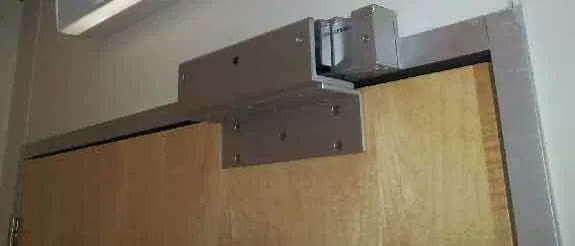
Maglocks, electric strikes and gate operators wired and tested with the reader.
SECTION 02 / RESTRICTED-AREA WORK
We provide security and lab-compliance-related low voltage work in the cannabis sector, which usually means access control on the rooms with product, records or equipment in them, not just the front door.
Licensed crew, twenty-two years in the trade, one contractor for the door hardware and the wiring behind it.
SECTION 03 / WHERE THIS SHOWS UP
SECTION 04 / READ THE LABEL
General reference on the technology, not a recommendation for your building — the right credential depends on the door, the risk and who needs through it.
Ask what fits your building →General industry reference, not a design for any specific door.
SECTION 05 / WHY IT MATTERS
The point of the system is knowing who has access to what, not just that the door is hard to open. We hand over an audit list you can actually read.
SECTION 06 / FAIL-SAFE OR FAIL-SECURE
A fail-safe door unlocks when power drops; a fail-secure door stays locked. Life-safety and code requirements often decide which one a given door has to be — that's a conversation for your walkthrough and your local fire marshal, not a one-size-fits-all answer.
ON SITE
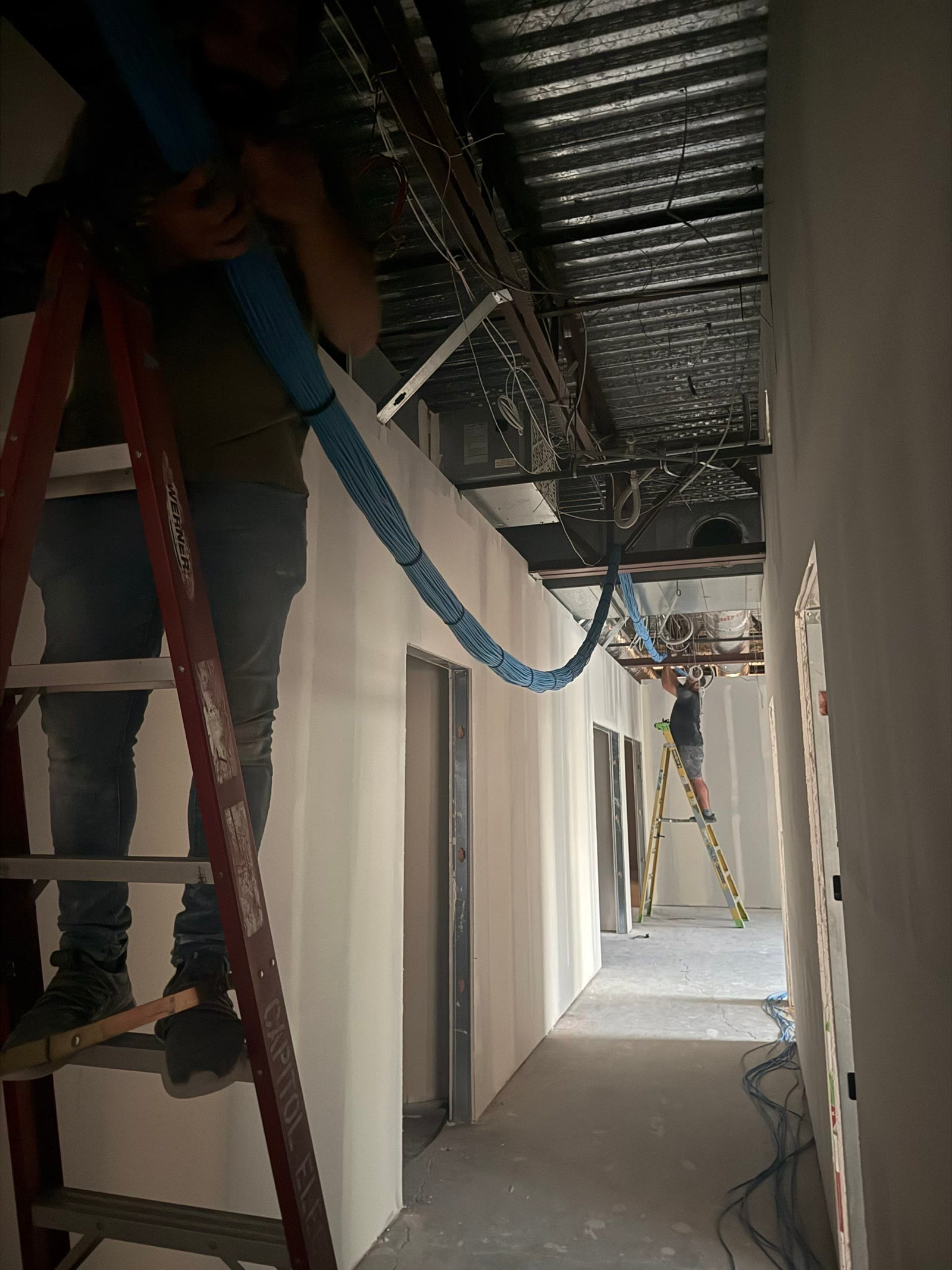
The keypad, the reader and the mag lock are the part you see. Behind the wall is the same run, dressed and tested, that feeds the rest of the building.
SECTION 07 / DUE DILIGENCE
Four questions worth asking any bidder, including us.
SECTION 08 / THE RUN
One cable. Five stations.
Count openings, decide credential type, check code requirements.
Reader, lock and controller per door, and a number you can compare.
Readers, locks and controllers wired back to the panel.
Every door tested with real credentials before handover.
Admin access and a credential audit list, in your hands.
SECTION 09 / THE OTHER TRADES
One contractor for the reader, the lock and the wiring, instead of three separate vendors pointing at each other.
Restricted-area access control that fits the security and compliance work we already do in the sector.
Door hardware timing coordinated with framing, finish and the rest of the trade schedule.
SECTION 10 / WHAT SHOWS UP ON SITE
Readers, controllers, cable and hardware, counted and staged against the door list before install day — so the crew is pulling cable, not making a supply run.
READER PROTOCOL
Wiegand is the decades-old signaling standard between a card reader and the door controller, and it sends the credential number across the wire in clear text with no supervision. A handheld device held against the reader wiring can capture and replay that data — a wiring-layer vulnerability that has nothing to do with the card itself. OSDP is the answer: an encrypted, bidirectional, supervised protocol that lets one wire run carry credential data both directions, report reader tamper, and receive door status back to the reader for LED and beeper control. It also runs on a two-wire RS-485 daisy chain, which cuts the pulls at multi-reader openings. Older buildings often have Wiegand pulled everywhere; the decision becomes whether to replace the run or bridge it with an OSDP-capable panel that still accepts the legacy readers, depending on what conduit already exists.
POWER BUDGET
A fail-safe mag lock draws holding current continuously for as long as the door has to stay locked, while a fail-secure strike only draws current at the moment it unlocks — that difference alone can swing a panel's steady-state load several times over depending on how many mag-locked doors share the circuit. Battery backup sizing follows the same logic: a fail-secure opening keeps working through a power outage without any battery at all, but a fail-safe opening will swing open the instant power drops unless the supply carries enough battery capacity to ride through it. Every power supply gets a load schedule — each door's lock type, holding current, and duty cycle, checked against the supply's rated output and the battery's amp-hour rating, with headroom left for the panel and readers sharing that same circuit.
LIFE SAFETY INTERFACE
On an access-controlled door in an egress path, a mag lock can't stay locked just because a card wasn't presented — it has to release the instant the fire alarm system calls for it, with nobody touching a badge. That release runs through a dry contact or a monitored relay output from the fire alarm panel landing directly at the access control power supply, wired to drop power to the lock circuit on alarm, and on some systems on loss of AC power too. This isn't fire alarm design — it's making sure the access control side of that opening uses fail-safe hardware where code requires it, that the interface wiring is supervised so a cut conductor reports a trouble condition instead of failing silently, and that lock release gets tested and logged in the same drill that tests the alarm itself.
AUDIT TRAIL
A card reader unlocking a door is the visible part; the part a facility actually depends on is the log behind it — which credential opened which door, at what time, and whether access was granted or denied. That log is what gets pulled after an incident, what a lab compliance inspector or a healthcare surveyor asks to see, and what tells a building manager whether a terminated employee's badge is still active somewhere in the building. Getting that report right depends on how the system was configured from day one: permission groups built around job function instead of one-off exceptions per person, schedules that actually match occupancy hours, and anti-passback logic on controlled zones so a credential that's badged in can't be used to badge in again from a second door until it's badged out. None of that shows on a walkthrough — it only shows up when someone needs the report.
EGRESS HARDWARE
Code requires that anyone can leave through a controlled door without a key, a card, or special knowledge — but free egress doesn't mean the door goes dark on the inside. A request-to-exit device, usually a passive infrared sensor or a mechanical bar, releases the lock when it senses someone approaching from the secure side, and that release has to be reliable without being fooled by someone standing near the far side of the door or a draft moving a ceiling tile. Door position switches feed the panel a signal separate from the lock itself, so the system can tell the difference between a door propped open, a door forced open without a valid credential, and a door that unlocked normally and closed on schedule. Delayed-egress hardware, where code allows it, adds a fifteen-second alarm-and-delay before release — a narrow exception, not a default.
PANEL ARCHITECTURE
A multi-door panel in a head-end closet handles a bank of openings off one board, with door modules that each take a reader, a lock output, a REX input, and a door position input — efficient when the doors sit close together and the wire runs back to that closet are short. An IP-based single-door controller flips that: each opening gets its own small controller at the door, powered and networked over the same cable, reporting back over the building network instead of a home run of low-voltage cable. The choice isn't a brand preference — it's wire distance, closet capacity, and how the doors are laid out across the building. A single remote door two floors from the nearest panel is usually cleaner as a standalone IP controller than as a long pull back to a closet that's already full.
DOCUMENTATION
Before any wire gets pulled, every controlled opening in the building gets a line on a door hardware schedule: door number matched to the architect's plans, lock function (fail-safe or fail-secure), reader type, whether it carries a REX device and a door position switch, which power supply circuit feeds it, and which panel and door module it lands on. That schedule gets walked door by door during rough-in to confirm the hardware ordered matches the opening it's going on, because a fail-safe lock on the wrong door is a life-safety problem, not a callback. It's also the document that outlives the installation — when a facility manager calls two years later about one door not releasing, the schedule tells whoever answers the phone which panel, which circuit, and which module to check before a truck gets dispatched.
SECTION 11 / LICENSED, BONDED, INSURED
Verify any of them before you hire anybody, including us.
SECTION 12 / BEFORE YOU CALL
Card and fob readers, mobile credential (Bluetooth/NFC), biometric and PIN keypad systems, on one door or a whole campus.
Yes. We provide security and lab-compliance-related low voltage work in the cannabis sector, including access control for restricted areas.
Generally, yes. We assess your existing systems on the walkthrough before proposing how they connect.
Either. We install single-door readers and full multi-door, multi-building systems.
We hold Oregon CCB #249201, Oregon electrical licence 4911LEA, CLE723 and Washington licence KNEPPJK854KK, with $2,000,000 in liability insurance and a $50,000 bond.
Book a walkthrough. We count doors, then you get a written scope and price you can compare against anyone else's.
SECTION 13 / NEXT STEP
Licensed, bonded and insured · 5.0★ on Google, 18 reviews · 24/7 on call from Milwaukie, OR.
Move your cursor across this band